
LEO Evidence Tracker
Designed by law enforcement, for law enforcement. Your evidence and property room, from the officer's drop locker to the final disposition, with every hand-off in the chain of custody.

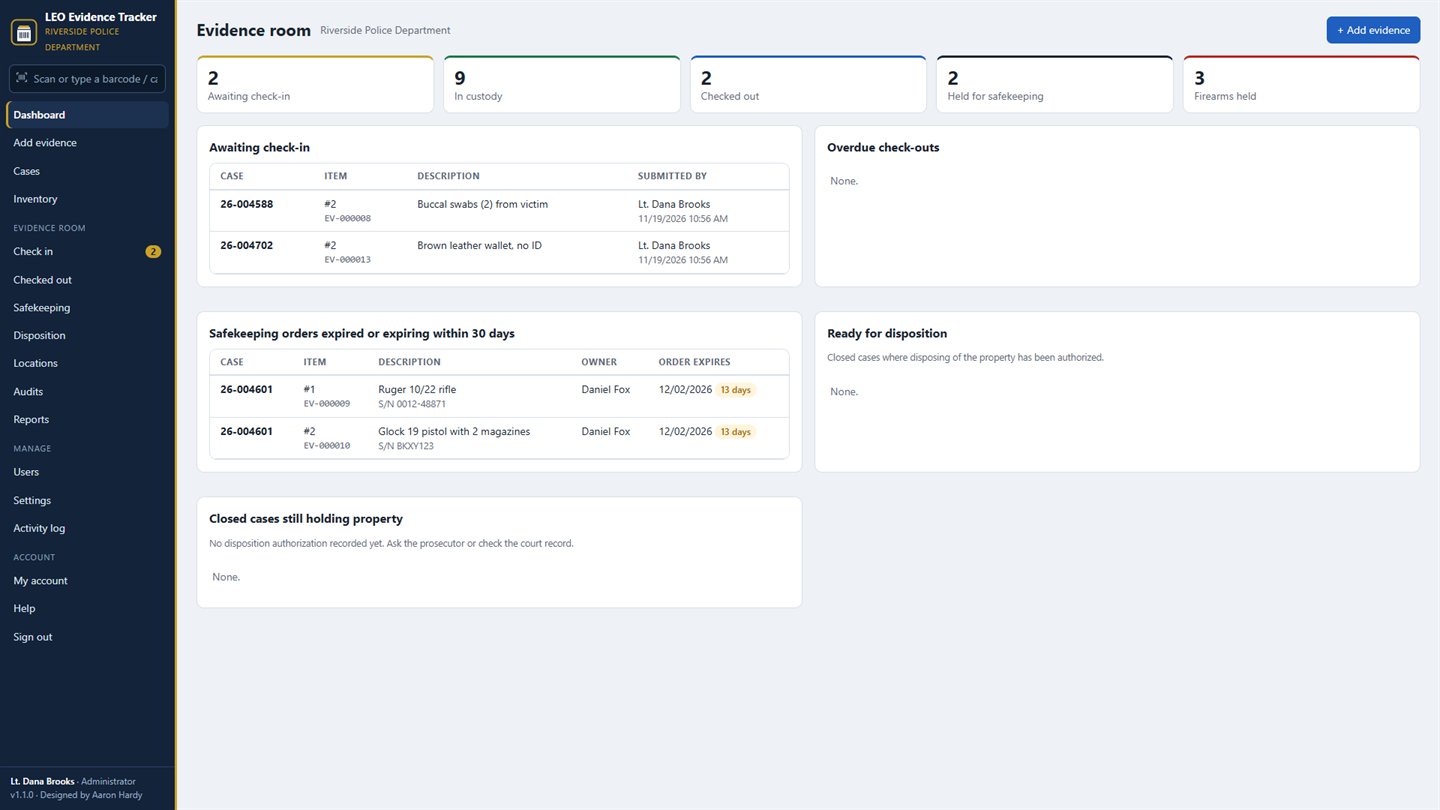
Built for the evidence room
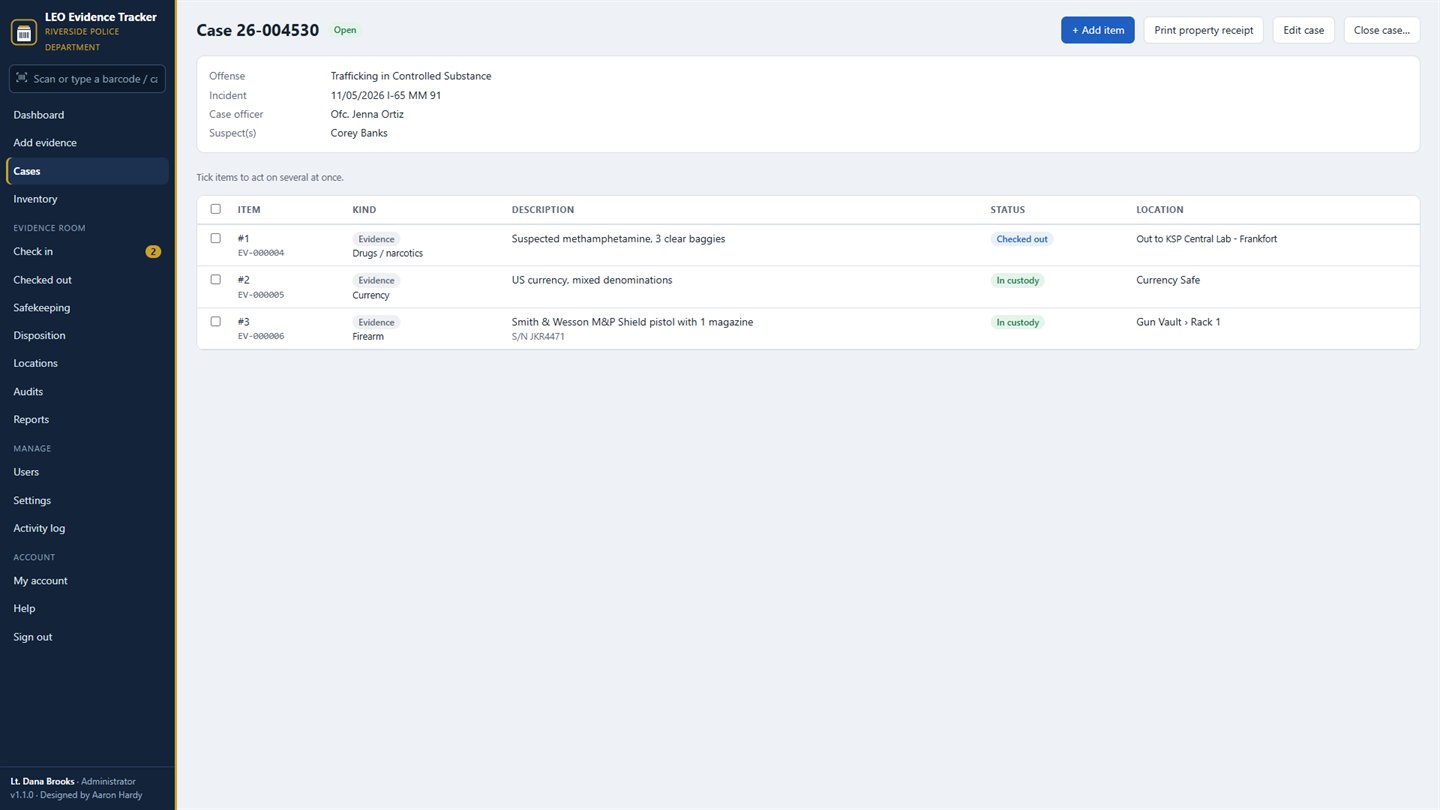
Officers turn items in
Open or find the case and add each item: evidence, safekeeping, found property or for destruction, with type, description, make, model, serial, caliber, where it was collected, the owner, flags and the drop locker used.
Barcode labels
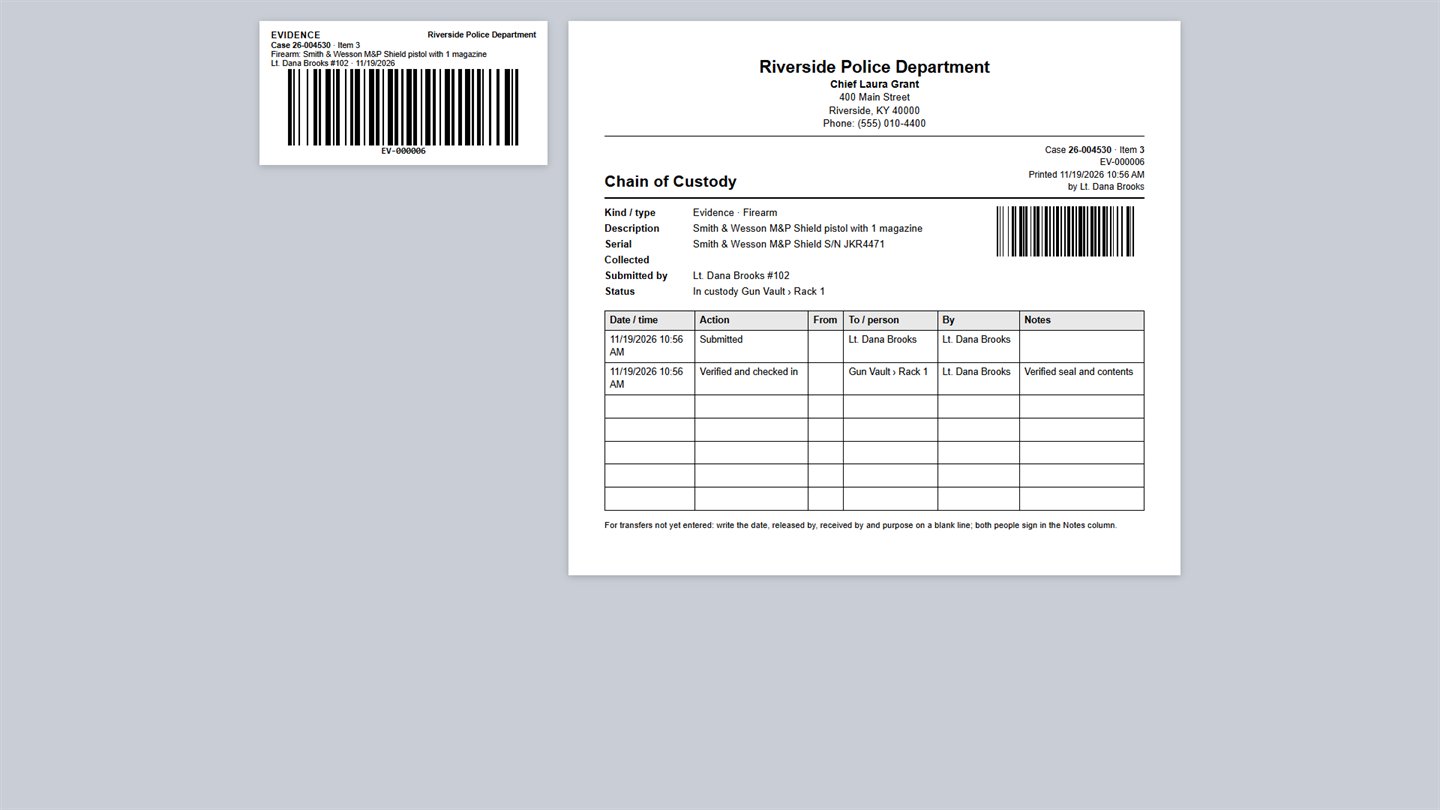
Each item gets its own barcode (EV-000123), and so does every room, shelf and container. Print on a 4×2 or 2×1 label printer or Avery 5163 sheets, and scan with any USB or Bluetooth scanner.
Check in, move, check out
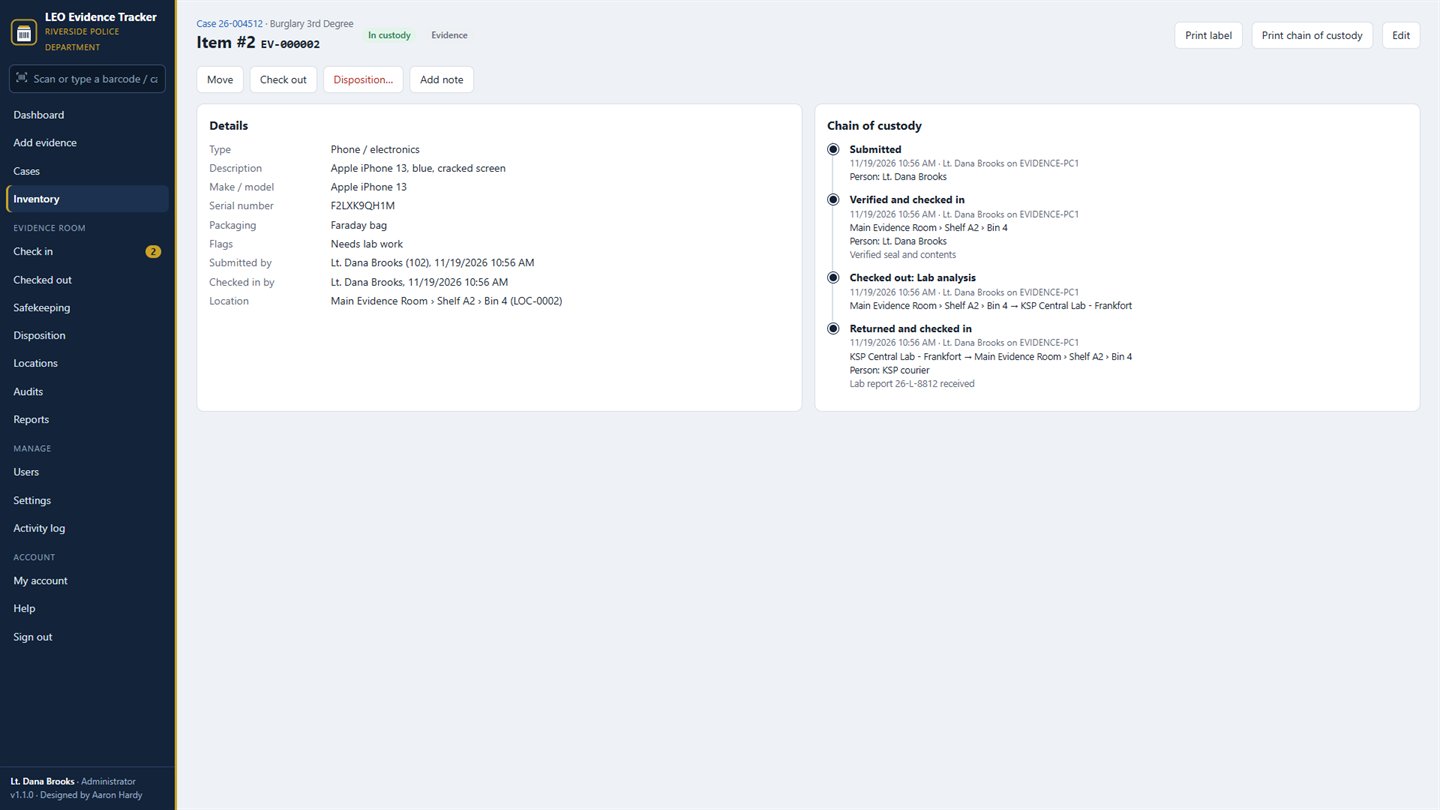
Custodians verify each item and check it in to a location, move it, check it out to the lab, court or an investigator with a due-back date, and check it back in.
Chain of custody
Every step is recorded with who, when, which computer, from and to. Print the chain of custody with signature lines whenever court needs it.
Safekeeping orders
Firearms and property held under an EPO, DVO or other order, with the order number and expiration date. The dashboard warns before an order expires.
Disposition
Close the case, record who authorized disposal, then return to the owner, destroy with a witness, transfer or forfeit, all on the record.
Audits
Scan a shelf and see at once what's missing, what's misplaced, and what doesn't belong there.
People change, cases move
Print a hand-over letter when a case gets a new case officer. When an officer or custodian retires, resigns or changes positions, their access ends and their cases move, but their name stays on every record.
Reports and accounts
Inventory by location, checked out, safekeeping, firearms held and dispositions, with CSV export. Separate accounts for administrators, custodians and officers, and an activity log of who did what.
Getting it
Install it from the Microsoft Store on Windows 10 (version 2004 or later) or Windows 11. Every agency starts with a 30-day free trial, with no card needed. Questions or help moving existing records: support@akhtech.org.
Part of LEO Suite
LEO Evidence Tracker works on its own, or together with LEO EquipTrack, Firearms Qualification Tracker and MDT Tracker as LEO Suite: one shared list of officers, one combined report per officer, and one subscription for all four.
Questions agencies ask
Can several computers use it?
Yes. Point every computer at the same shared network folder. Officers and evidence staff all work from the same evidence database, and your IT department can set the folder for every computer by Group Policy or Intune.
Do officers need their own accounts?
Yes. Everyone signs in with their own user name, so every entry in the chain of custody shows who did it. Officers see their own cases unless you let them see all of them.
Which scanners and label printers work?
Any USB or Bluetooth barcode scanner that works as a keyboard, with no setup. Labels print on 4×2 or 2×1 inch label printers or on Avery 5163 sheets.
Where are our records kept?
In one database file in your agency's own folder, with a backup each day. Nothing is sent to AKH Technologies.
What happens if the subscription ends?
Nothing is deleted. Everyone can still sign in, view, search, print chain of custody forms and reports, and export. Items that are checked out can still be checked back in. Adding or changing records resumes when an administrator subscribes again.
How much does it cost?
Every agency gets a 30-day free trial, then $10.99 a month or $119.99 a year. One subscription covers every computer and every user sharing your agency's evidence database.
Questions: support@akhtech.org. Privacy statement.