My Budget Buddy
Know what's really left after the bills, every payday. Your bank balance, bills, credit cards and savings, one pay period at a time.
Built around your paycheck
One pay period at a time
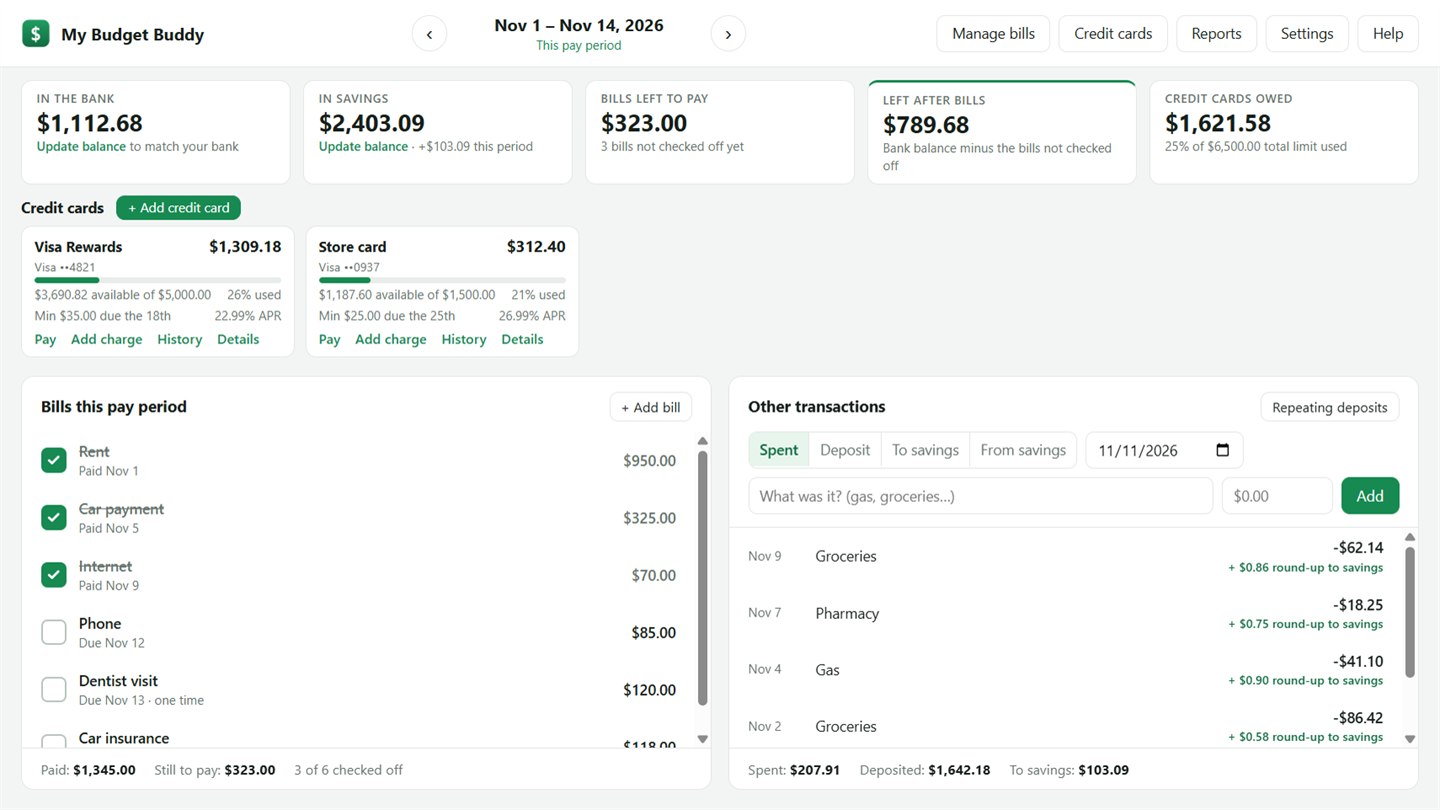
Paid twice a month, every two weeks, weekly or monthly. See this period, look back, or look ahead to plan.
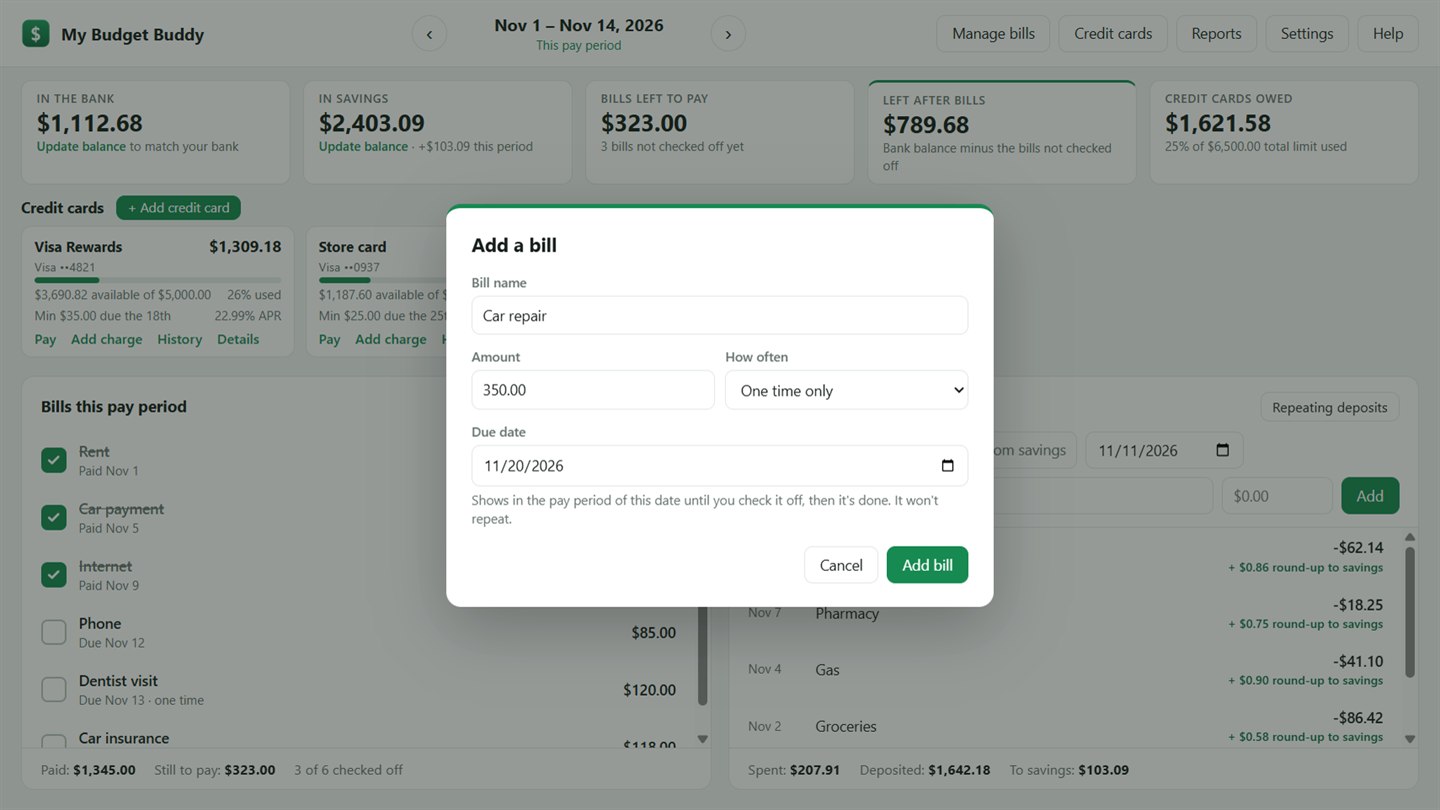
A checklist for every bill
Monthly bills, bills that come out every paycheck, and one-time bills. Check each one off when it's paid. Bills that change, like power, ask for the amount a few days before they're due.
Left after bills
Your bank balance minus the bills not paid yet, so you know what you can spend before the next paycheck.
Credit cards
Balances, limits, interest rates and minimum payments, with each card's payment in your bill checklist on its due day.
Savings and round-ups
Track your savings balance. Transfers and bank round-ups are added automatically.
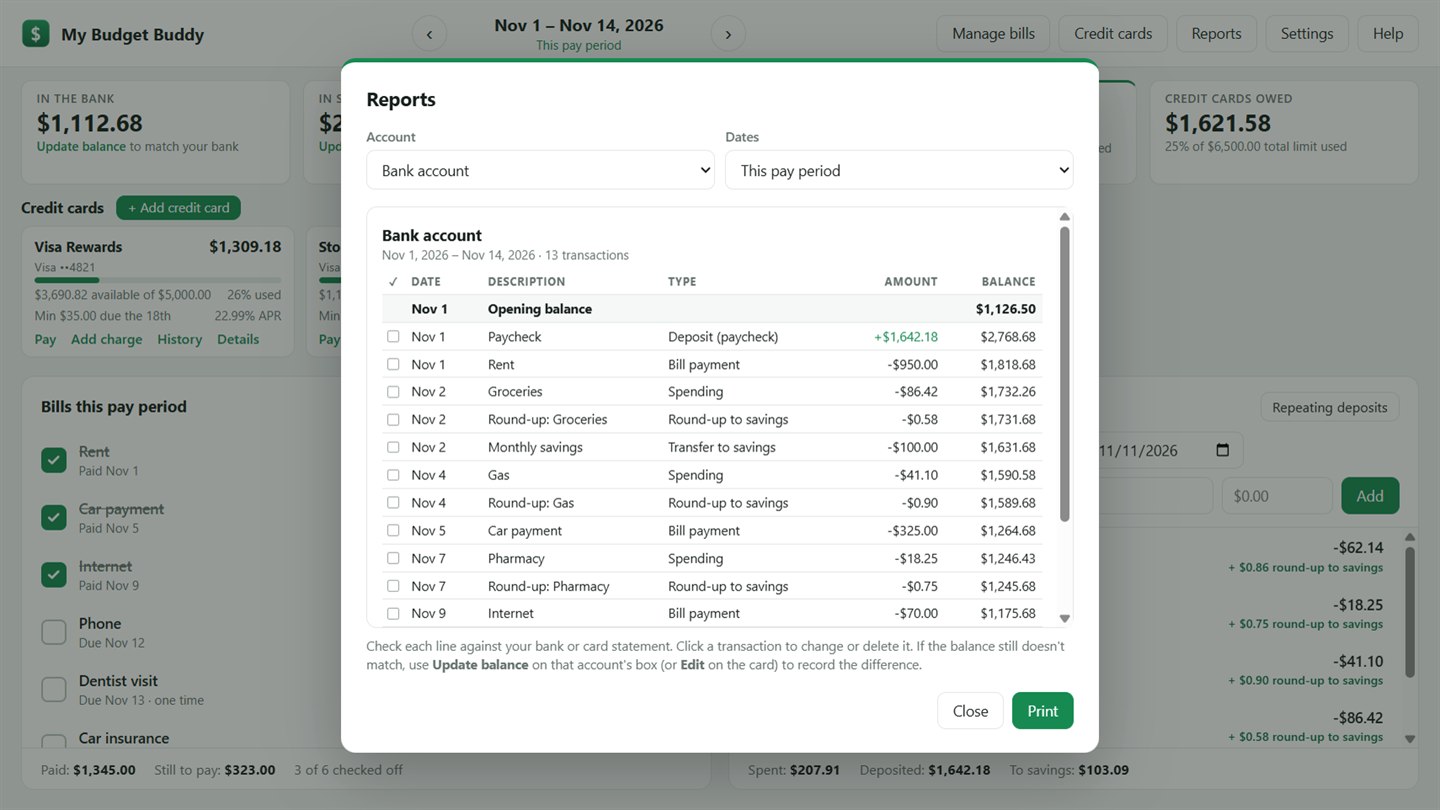
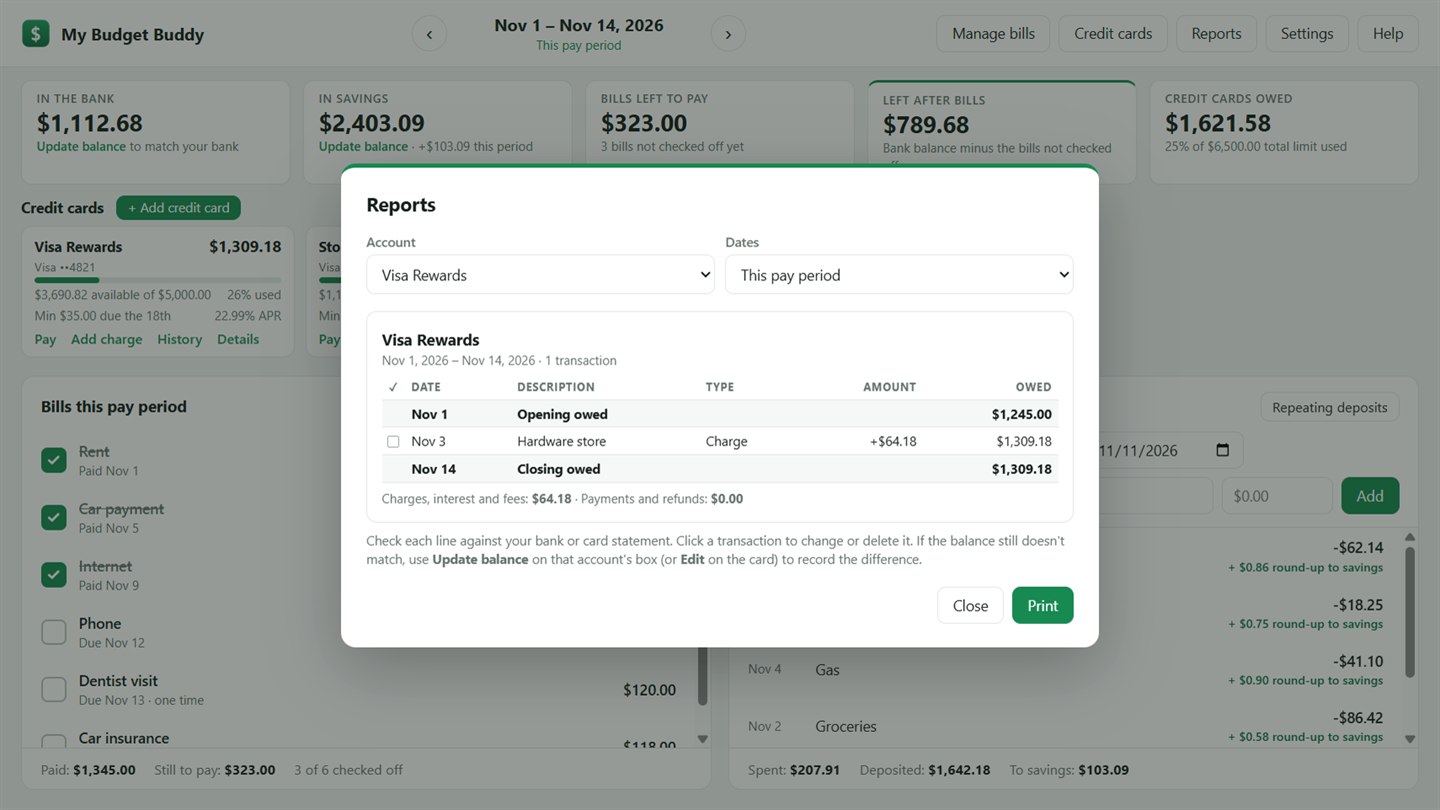
Reports to match your statements
Print the bank account, savings or any card for a pay period, a month or your own dates, with opening, running and closing balances.
Repeating deposits
Paychecks and other regular deposits show up as expected, and you check them off when the money arrives.
Private by design
Your budget stays on your computer. No bank sign-in, no account with us, no ads or tracking. Add a password to encrypt it.
Daily backups
A backup is saved each day and the last 30 are kept, so an earlier copy is always on hand.
Getting it
Install it from the Microsoft Store on Windows 10 or Windows 11. Every household starts with a 30-day free trial. Questions: support@akhtech.org.
Questions people ask
Does it connect to my bank?
No. You enter your balance and transactions yourself, and use Update balance to match your bank whenever you like. My Budget Buddy never asks for bank passwords and never connects to your bank.
Where is my budget kept?
In one file in your Documents folder, with a dated backup beside it each day. Nothing is sent to AKH Technologies. If your Documents folder is backed up to OneDrive, your budget is backed up with it.
Which computers does it run on?
Windows 10 and Windows 11.
How much does it cost?
A 30-day free trial, then $1.99 a month or $19.99 a year through the Microsoft Store.